My Family ID App With Scanning Feature For Face & Fingerprints
How My Family ID App Works
When the unthinkable can happen in an instant, My Family ID offers a lifeline of preparedness.
We understand the fear and helplessness that grips you when someone in your care goes missing. That’s why we’ve harnessed cutting-edge biometric technology, the same trusted by law enforcement agencies worldwide, to create a powerful protective tool that’s also easy to use.
With secure touchless fingerprint scanning and precise biometric facial scanning, My Family ID ensures you have the critical information ready to share with authorities the moment it matters most.
Your Essential Family Safety Tool is Here
Step 1
Face ID Scan
The face ID scan that protects your phone can protect your loved ones too.
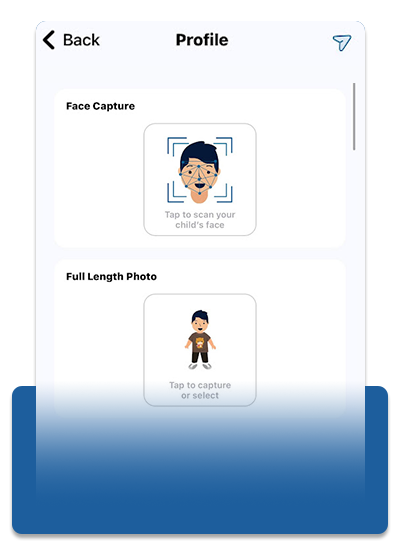
Scan your family members’ faces into My Family ID to securely store their biometric features. Law enforcement can use this data to scan thousands of hours of footage in seconds with AI to find your loved ones.
Step 2
Biometric Face Scan
Use your phone’s camera to perform a secure biometric face scan. This does not just take a photo; it creates a detailed 3D image that can be utilized by facial recognition technology if needed.
Step 3
Capture a Full-Length Photo
Take or upload a recent full-length photo to help provide a complete visual record, including clothing and any other distinguishing features.
Step 4
Touchless Fingerprint Scan
Use your phone’s camera to scan fingerprints and add them to the profile. This step offers law enforcement an irrefutable way to confirm an individual’s identity.
Step 5
Enter Medical & Additional Details
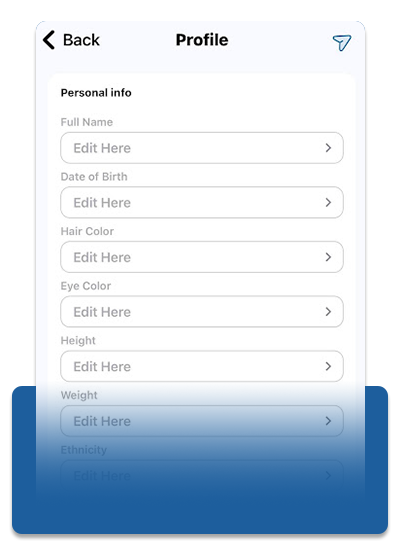
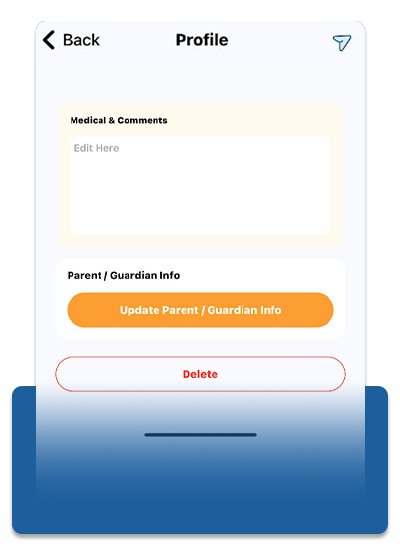
Record crucial medical information like allergies, medications, and relevant health conditions. You can also add notes about their habits, favorite places, or anything that might be helpful in a search.
Step 6
Enter Guardian Information
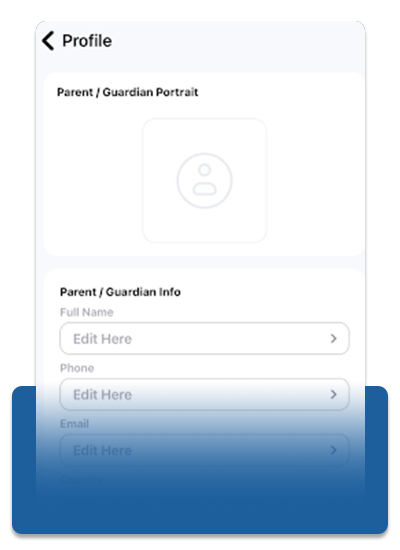
Provide detailed information about the legal guardians or authorized individuals for the person you are creating a profile for. This helps ensure that law enforcement knows precisely who to release a person to when in care.
Use Your Phone’s Built-In Technology As A Safety Tool With My Family ID
”This app’s technology does a deep scan of fingerprints and a 3-D scan of the face that can be used by police databases!”
– Karen O’Bren Havourd
”The best advice I can give a family is to download this app to take care of your kids’ data. Protect that information to this secure tool and have it ready in case you need it at some point in the future.”
– Eldon Baber
Keep Your Data Safe And Out Of The Cloud
All information entered into My Family ID remains stored securely on your device and nowhere else. We never collect or store your data on any cloud servers, ensuring your sensitive information remains confidential and under your control.
In case of an emergency involving a lost family member, call 911 immediately.
My Family ID was developed by retired law enforcement and is based on real-life experience to leverage the same advanced technology used by TSA, IDEMIA, airports, train stations, and border crossings worldwide. In an emergency, this information can be instantly shared with authorities, allowing them to utilize AI facial recognition and fingerprint matching to aid their search.
Organizations interested in partnering with My Family ID for free can visit our Partner Page